
GitHub Copilot Local Sandboxing: Setup and Security Guide
Enable local execution boundaries, inspect permissions, and validate agent workflows before rollout.
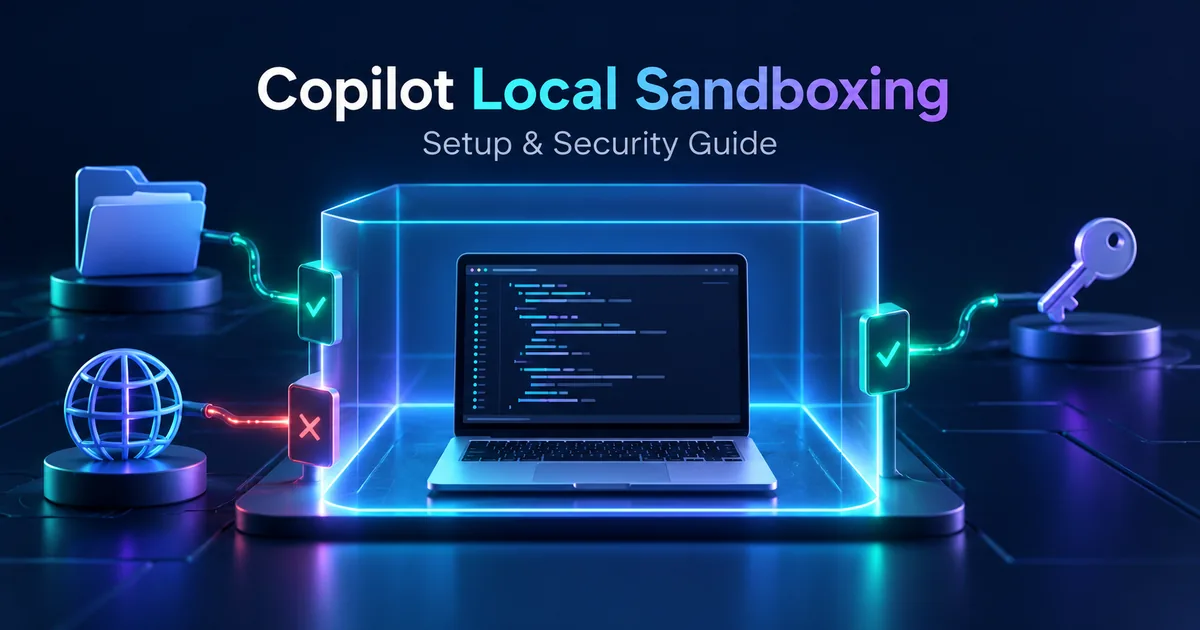
GitHub Copilot local sandboxing became generally available on October 7, 2026. It gives developers a way to constrain local agent tool execution, making it easier to delegate coding tasks without treating every shell command as unrestricted access to a workstation. GitHub announced availability across Copilot CLI, the Copilot app, and the VS Code Agent Host. Local sandboxing has no additional charge. See the official GitHub release announcement.
The practical starting point is simple: enable the sandbox, inspect the effective policy, and test its boundaries with harmless fixtures before giving an agent a real task. A successful build does not prove that unrelated files or network destinations are protected. This guide explains a repeatable setup and validation workflow for developers and teams.
Scope: the instructions below focus on Copilot CLI and the Copilot app. VS Code settings and execution paths should be checked against that client's current documentation. Review date: October 9, 2026.
Quick start: enable and inspect the CLI sandbox
In an interactive Copilot CLI session, use the documented sandbox commands:
/sandbox enable
/sandbox status
/sandbox policy
/sandbox policy npm install
/sandbox config
The command-specific policy example previews the policy for npm install; it does not run the installation. To request sandboxing for one non-interactive invocation, GitHub documents this pattern:
copilot --sandbox -p "Inspect this repository and summarize the test commands. Do not modify files."Enabling sandboxing persistently does not automatically update every session already running. Enable it in the current session or start a new one as appropriate. The official usage guide explains these commands and session behavior.
Start with an inspection task that has a clear stopping point. Ask the agent to identify the project language, test runner, and package manager, then review its findings. This establishes a baseline before dependency installation, code generation, or migration work introduces more moving parts.
What local sandboxing protects
A local sandbox uses operating-system process containment around local execution. It is not a virtual machine or a container, and it is disabled by default. A cloud sandbox is a separate remote environment with different lifecycle and billing behavior. Choosing one should follow where the task needs to execute, rather than assuming the two products offer identical boundaries.
Two limitations matter when evaluating coverage: built-in file tools enforce policies within the CLI process on a best-effort software basis, while remote MCP servers are not locally sandboxed. On unsupported hosts, ordinary CLI sessions can continue without sandboxing with a notice. GitHub documents combining sandbox.enabled with failIfUnavailable when fail-closed behavior is required. These details are covered in GitHub's sandbox overview.
Think about the task as a collection of capabilities. Reading source code, writing generated output, running tests, using a package registry, and pushing a commit are different capabilities. A useful policy grants the capabilities required for the current task and makes additional access a deliberate decision.
Sandboxing and review solve different problems
Containment can reduce the consequences of an unexpected command, but it does not determine whether a code change is correct. An agent can still introduce a logic bug into a writable repository. Keep normal review, tests, and version-control checkpoints in the workflow. The sandbox is an execution boundary; your acceptance criteria remain the definition of done.
Check the workstation before rollout
Platform support deserves an explicit check before a team standardizes its setup. GitHub documents macOS Seatbelt, Linux bubblewrap, and supported Windows environments, with platform-specific dependencies and restrictions. In particular, Windows networking relies on programs honoring proxy settings, unlike the stronger direct network enforcement described for macOS and Linux. Consult the platform requirements in the sandbox overview before claiming equivalent protection across machines.
| Rollout check | Evidence to collect |
|---|---|
| Operating system and dependencies | The installed versions satisfy the current official prerequisites. |
| Client and execution route | The task runs through the client and local tool path you have configured. |
| Sandbox availability | Session status reports sandboxing active before the first task. |
| Required failure behavior | The session stops when containment is unavailable if your policy requires it. |
Record these facts alongside the test results. If a colleague cannot reproduce your result, the difference may be a host dependency or client setting rather than the prompt. A small workstation inventory makes that distinction much easier to investigate.
Configure Copilot CLI and the app separately
In Copilot CLI, /sandbox config exposes General, Credentials, Filesystem, and Network settings. In the Copilot app, open Settings, select Projects, choose the project, and use its Sandbox settings, including “Sandbox new sessions.” Changes apply to new or restarted sessions; the app documents /restart-session for refreshing an existing session.
Do not copy assumptions between clients. GitHub documents outbound and local-network access as enabled by default in the app, while CLI defaults differ. App sandbox settings concern local repository or worktree sessions rather than cloud or remote sessions. A settings summary describes the configured policy, so validate enforcement in a session as well. Follow the official configuration guide for current controls and managed settings.
Use a task-specific permission plan
Before changing settings, write a short permission plan in ordinary language. For example: “Read this repository, write changes and test output inside it, use the public package registry if dependencies are missing, and do not access sibling projects.” This gives the reviewer something concrete to compare with both the configuration and the observed behavior.
Separate dependency preparation from code editing when practical. The first phase may need network access; the second may work with installed dependencies. Smaller phases make unexpected access requests easier to interpret and prevent a broad initial grant from becoming the permanent default for unrelated work.
Design filesystem access around the task
GitHub's filesystem model includes read-write, read-only, and denied paths, with deny rules taking precedence. Automatic access includes the current working directory, development tools, and selected caches. Starting in a monorepo subdirectory does not necessarily narrow access to that folder: repository read access and Git metadata writes can extend beyond it. Read the filesystem policy explanation before choosing a working directory as your security boundary.
Use the following as a planning worksheet, not as an undocumented configuration schema:
| Task | Candidate access | Review question |
|---|---|---|
| Explain a module | Read project source | Does the agent need any writes at all? |
| Fix a failing test | Write repository and test output | Are generated artifacts contained in expected locations? |
| Install dependencies | Package cache and registry access | Can installation finish before the editing phase? |
| Generate documentation | Read source and write the documentation directory | Can unrelated configuration remain outside the task? |
Avoid granting the entire home directory to solve one missing-file error. First identify the exact path and operation. Sometimes a build writes to a cache outside the project; sometimes the command points to the wrong workspace. Those are different problems and deserve different fixes.
Worktrees are useful, but inspect their access
A clean worktree makes changes easier to review and discard. It is also useful for separating an agent's edits from your current checkout. Still, treat it as a version-control convenience and inspect the effective permissions. The app documentation explicitly cautions that worktrees do not themselves restrict repository access.
Verify boundaries with harmless test fixtures
Use a disposable repository and synthetic text files for validation. Do not use real credentials, private documents, or production endpoints as test material. Create one file inside the permitted workspace and another disposable file outside the intended boundary, then define the expected results before running the agent.
| Check | Expected observation |
|---|---|
| Read permitted fixture | The agent can read the synthetic content. |
| Write permitted output | A small output file appears in the agreed directory. |
| Access denied fixture | The request fails without silently expanding access. |
| Use a restricted network destination | The request is blocked where the platform supports that enforcement. |
| Restart and repeat | The intended policy still applies to the new session. |
Test the shell route and the relevant built-in file route separately. Record the client version, operating system, selected settings, status output, and observed results. If a route is outside the sandbox's documented coverage, record that explicitly instead of treating a failed or successful request as universal evidence.
For a code-editing pilot, add a normal functional check too: run the project's smallest meaningful test and review the diff. You want evidence that the policy both blocks unintended access and allows the intended work. A policy that blocks every useful build step will encourage ad hoc exceptions unless you fix the underlying task design.
Review network access and credentials independently
Network access answers where a process can communicate. Credential handling answers which identity or secret it can use. Neither question is resolved by showing that source files are contained. Inspect both settings before a task that downloads packages, calls APIs, or interacts with a repository host.
GitHub's usage documentation describes outbound network access as enabled by default in CLI, local-network access as disabled, and Git/gh authentication as enabled through its credential handling. It also explains that an approved sandbox bypass runs outside the sandbox and skips its credential masking and proxy protections. Treat bypass as an explicit change in the execution boundary, not as the automatic response to a failed command.
For a practical pilot, list each expected destination and why it is needed. “Install dependencies from the project's configured registry” is a more useful requirement than “allow internet.” If the agent requests an additional destination, check whether it belongs to the task, an install script, or an unrelated action before updating the policy.
MCP tools require their own trust review
A remote MCP server executes elsewhere, so a local sandbox cannot establish what that remote service does with a request. Review server ownership, available tools, authorization, and transmitted data separately. Rubic8's Google Developer Knowledge API and MCP guide provides a related example of connecting an agent to an external documentation service.
Likewise, local model inference and tool containment address different parts of an architecture. Our EmbeddingGemma 2 guide for multimodal search and RAG discusses local retrieval. Running a retrieval model locally does not, by itself, restrict a coding agent's shell or prevent a separately connected tool from transmitting data.
Make enterprise policy reproducible
For organizations, GitHub documents managed settings through a .github-private repository and copilot/managed-settings.json, along with other management options. Restrict who can edit that policy repository and use the provided validation workflow. Client support varies by setting, so check coverage before assuming a single file controls every Copilot surface. See GitHub's managed settings setup guide.
A good rollout package contains three items: the intended task permissions, the client-specific configuration, and a small validation record. Assign an owner to each exception. When a temporary grant is required for dependency preparation, record when it should be removed and how the editing session will be restarted afterward.
Review policy changes like code changes. Ask what new capability is being introduced, which developer workflow needs it, and what evidence shows the narrower configuration was insufficient. This produces an audit trail that remains useful after the original troubleshooting context is forgotten.
Troubleshoot without broadening every permission
The session says sandboxing is unavailable
Check the host prerequisites and client version, then compare the session status with the required failure policy. If containment is mandatory, resolve availability before continuing the task. Do not interpret an ordinary unsandboxed fallback as a successful sandbox setup.
A build cannot write its output
Inspect the output path and current working directory. Prefer configuring the build to use an expected project or cache directory when possible. If an extra writable path is necessary, document that path and its purpose, then rerun both the build and the denied-fixture check.
A network-dependent command fails
Check the requested destination, proxy behavior, registry configuration, and credential requirement independently. Retry only after identifying which requirement failed. Changing filesystem access cannot fix a network policy, and granting credentials should not be the first response to an unauthenticated public download.
Frequently asked questions
Is local sandboxing enabled automatically?
No. GitHub documents local sandboxing as off by default. Enable it deliberately and verify the current session rather than assuming installation activates containment.
Does a sandbox make agent-generated code safe to merge?
No. Review the diff and run appropriate tests. Execution restrictions reduce exposure to unwanted tool actions; they do not validate business logic, dependency quality, or application behavior.
Can I use the same settings in every client?
Check each client's controls, defaults, and supported managed settings. A CLI test result does not establish the behavior of the app or a VS Code execution path.
What should a first team pilot look like?
Choose one repository and one bounded task, such as fixing a small test. Use synthetic boundary checks, capture status and policy evidence, review the patch, and document any required exceptions. Expand only after the team can reproduce both the useful workflow and the expected denied operations.
The useful outcome is a repeatable execution environment with clear permissions and observable boundaries. Start small, verify the routes your agent actually uses, and keep code review and task-specific acceptance checks alongside sandboxing.
Editorial verification: Release and client behavior were checked against official GitHub documentation on October 9, 2026. The commands follow documented usage; Rubic8 has not run a platform compatibility benchmark or tested these examples on every supported host.
Rubic8 Editorial Team
Editorial Team
Rubic8 creates practical guides and free tools for developers, webmasters, and digital publishers. Our fast-changing technical content is reviewed against current primary documentation before publication.
